How Much Does Cloud PACS for Diagnostic Image Viewing Cost? Pricing Guide
Cloud PACS pricing usually lands between $249 and $749 a month. That range covers very different storage limits, connected locations, and user counts, so the sticker price alone tells you little about what you will actually pay.
This guide breaks down Medicai's Starter, Standard, and Enterprise plans, explains what drives cloud PACS costs, and flags the hidden fees that show up in many imaging contracts. By the end, you will know which tier fits your organization and how to compare quotes without getting misled.
What Is Medicai? Cloud PACS for Diagnostic Image Viewing Explained
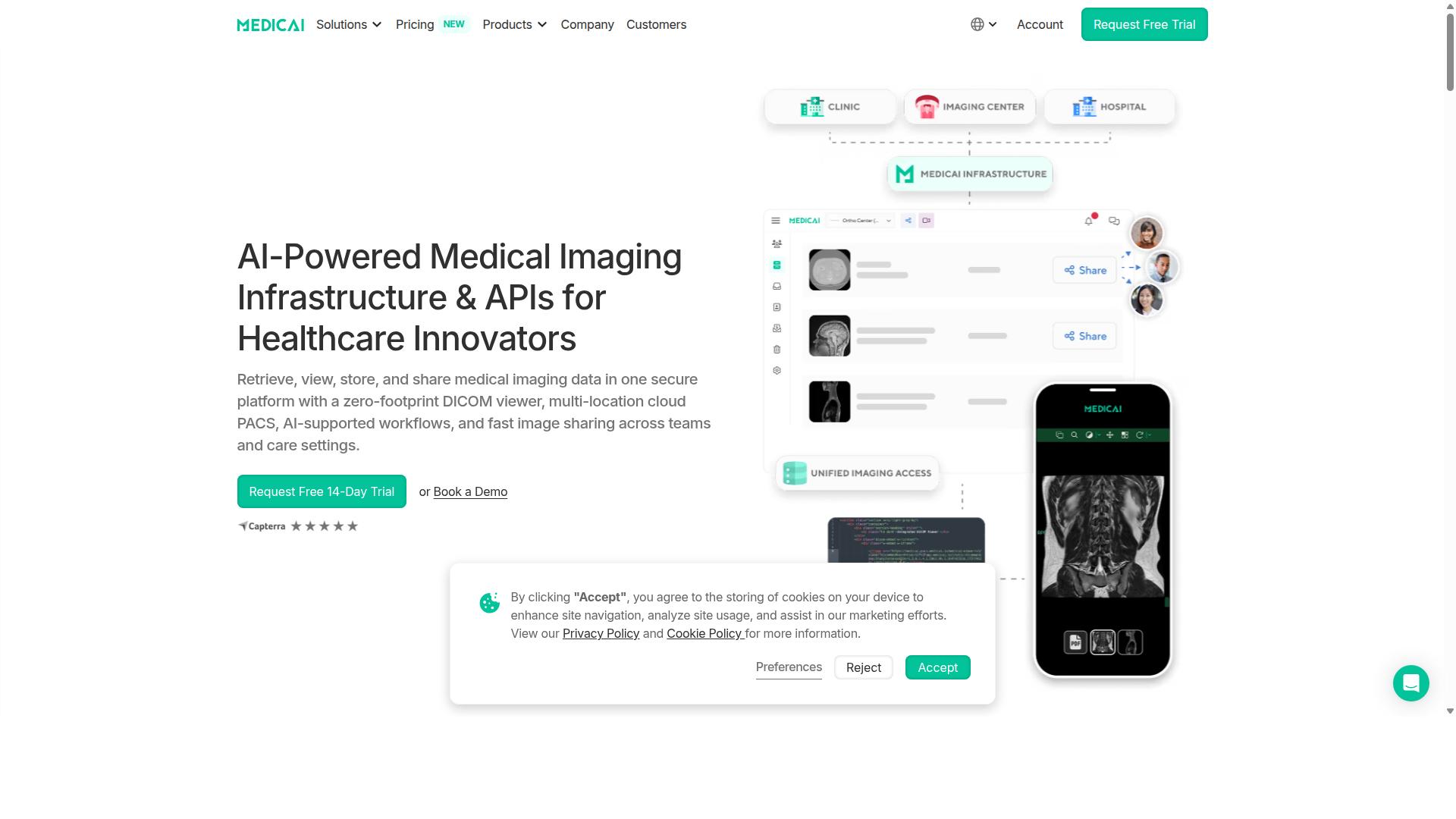
Medicai is a cloud-based medical imaging platform that enables healthcare providers to retrieve, view, store, and share medical imaging data in one secure platform with a zero-footprint DICOM viewer. In practical terms, that means no local server, no thick-client install, and no workstation tied to a single radiology reading room.
The platform functions as a picture archiving and communication system delivered entirely online. Because it is a SaaS product, users access the diagnostic viewer through a browser. Images open from the cloud image archive rather than from hardware sitting in a hospital basement.
Medicai is built around a zero-footprint viewer, which supports web-based and mobile access to diagnostic image viewing. The company also provides Imaging Infrastructure as a Service (IIaaS) and positions itself as a VC-backed healthcare startup focused on modernizing medical imaging workflows and enabling interoperability.
Compliance and clearance matter in this category. Medicai is HIPAA and GDPR compliant and FDA/CEE cleared. The platform processes over 1 million studies annually, a volume that speaks to real production use rather than pilot deployments.
Beyond storage and viewing, Medicai offers multi-location cloud PACS, AI-supported workflows, and fast image sharing across teams and care settings. These capabilities shape how vendors structure cloud PACS pricing, which the sections ahead break down in detail.
Who Medicai Serves: Hospitals, Imaging Centers, and Specialty Providers
Medicai's target audience includes hospitals, imaging centers, and specialty care providers such as orthopedics, neurology, oncology, radiology, cardiology, ophthalmology, ob-gyn, pulmonology, dentistry, and gastroenterology. Each group uses a cloud PACS differently, and that difference often determines which licensing model and subscription cost tier fits best.
Hospitals typically need enterprise imaging: many departments, many users, and one image archive that stays consistent across locations. For them, scalability, uptime, and EHR integration weigh heavily in vendor selection.
Imaging centers face a different pressure. They handle high-volume studies daily, so pay-per-study or subscription pricing tied to study volume directly affects margins. A zero-footprint viewer also reduces workstation overhead at each reading station.
Specialty providers have narrower but deeper needs. A cardiology practice and an oncology tumor board may both rely on diagnostic image viewing, yet their workflows, sharing patterns, and storage cost profiles differ.
Medicai is available globally and supports teleradiology, which matters for organizations reading studies across sites or time zones. The platform also serves virtual care providers, telemedicine platforms, teleradiology services, personal injury lawyers, tumor boards, clinical trials, and medical education organizations. Patients can access their own imaging through the Patient Portal.
That breadth explains why pricing conversations with any cloud PACS vendor start with user roles, study volume, and integration requirements rather than a single flat rate. Medicai's mix of hospital, imaging center, and specialty clients reflects that same reality.
How Much Does Cloud PACS Cost? The Short Answer
Cloud PACS pricing typically ranges from a few hundred to several thousand dollars per month, depending on storage, users, and features. Most healthcare organizations should expect a realistic starting point somewhere between $200 and $2,000+ per month for a modest setup, with larger multi-site systems landing well above that ceiling.
That wide spread exists because cloud PACS is not a single product with a single price tag. It is a picture archiving and communication system delivered over the internet, and vendors structure their fees in different ways. Understanding the three common models helps buyers compare quotes fairly.
- Subscription-based: A recurring monthly or annual fee, usually tiered by storage volume, user count, or facility count. This is the most common model for cloud PACS software.
- Pay-per-study: Charges tied to the number of imaging studies stored or viewed, which can suit low-volume clinics with unpredictable workloads.
- Licensing model: A base license fee, sometimes combined with a subscription for hosting, support, and cloud storage.
On top of the recurring fee, expect one-time costs. These often include an implementation fee, data migration from a legacy system, and configuration work for DICOM connectivity, EHR integration, or RIS integration through HL7 or FHIR interfaces.
Because quotes bundle different things, the headline number rarely tells the full story. Two vendors can advertise similar monthly rates while one includes unlimited users and the other charges per seat. Always compare the total cost of ownership over a multi-year horizon, not just the first invoice.
What Drives Cloud PACS Pricing: Storage, Locations, and Users
The three primary cost drivers for cloud PACS are storage capacity, number of connected locations, and user access requirements. Each one scales independently, which is why a single clinic and a hospital network can see dramatically different quotes for what sounds like the same service.
Storage is usually the largest variable. Vendors measure it in gigabytes or terabytes, and costs climb as imaging volume grows. A clinic performing a handful of studies per day accumulates far less than a busy radiology department running CT, MRI, and mammography. Retention rules matter too, since keeping studies for seven or ten years multiplies the archive size. Some vendors bundle a storage allowance and charge overage fees beyond it.
Connected locations affect pricing because each facility adds imaging modalities, network endpoints, and administrative overhead. Multi-site organizations should ask whether the vendor charges per facility or offers a consolidated enterprise rate. A single-site clinic typically pays one base fee, while a multi-hospital system may negotiate volume terms.
User access varies by vendor. Many cloud PACS platforms provide unlimited users, which benefits teleradiology groups and teaching hospitals with rotating staff. Others charge per named user or concurrent session. Confirm whether referring physicians, technologists, and administrative staff all count toward the total.
| Cost Driver | What It Covers | Typical Impact |
|---|---|---|
| Storage | Image archive size in GB or TB, plus retention period | Often the largest recurring cost |
| Locations | Number of connected facilities and modalities | Scales cost for multi-site groups |
| Users | Named or concurrent viewer accounts | Free on some plans, billed on others |
To compare options, model your own numbers. Estimate annual study volume, average study size, required retention, facility count, and peak concurrent users. That profile makes it far easier to see which pricing model fits and where a quote may hide future increases.
Medicai's Pricing Plans in Detail
Medicai offers two monthly subscription plans, Starter and Standard, and custom enterprise pricing for larger organizations. This structure gives buyers a clear starting point before they commit to a cloud PACS platform.
Monthly billing keeps the entry point low, while yearly billing lowers the effective rate by 15%. On annual terms, Starter drops to $209 per month and Standard to $639 per month.
A key detail across every tier is that unlimited user accounts are included. That matters in medical imaging, where radiology groups, referring physicians, and administrative staff often need access to the same image archive without per-seat licensing driving up the subscription cost.
A DICOM Gateway setup fee of $1,000 one-time per location applies where a connected location is part of the plan. A free 14-day trial of Starter plan features is also available with no credit card required. Refunds are not available for partial periods, so buyers should map their storage and connectivity needs before choosing a tier.
Starter: $249/Month for 500 GB and Unlimited Users
The Starter plan costs $249 per month and includes 500 GB of cloud storage, unlimited user accounts, and no connected locations.
This tier suits small practices and individual radiologists who need secure storage and diagnostic image viewing without integration across multiple sites. A solo teleradiology reader or a small clinic reviewing studies remotely can work entirely through the web-based viewer.
Starter includes the zero-footprint DICOM viewer and core platform features. Because nothing installs on a workstation, users reach studies through a browser, which simplifies healthcare IT management and supports mobile access for on-call reading.
With no connected locations, images are uploaded directly rather than routed through a facility gateway. That keeps the setup simple and avoids the one-time gateway fee, but it also means practices expecting automated DICOM traffic from an on-site modality should look at the next tier.
At 500 GB, Starter fits lower-volume workflows. Groups with growing study volumes should estimate storage trends before committing, since upgrading later is straightforward but worth planning for.
Standard: $749/Month for 2 TB and One Connected Location
The Standard plan costs $749 per month and includes 2 TB of cloud storage, unlimited user accounts, and one connected location.
This tier fits imaging centers and small hospitals that need to connect a single facility and require more room for their image archive. The jump from 500 GB to 2 TB supports busier study volumes without constant storage housekeeping.
Standard includes all core features plus the ability to connect a location for DICOM gateway integration. That connection lets modalities at one site send studies into the cloud automatically, which reduces manual upload steps for technologists.
The DICOM Gateway setup fee of $1,000 one-time per location applies here. Buyers should factor that implementation fee into first-year budgeting alongside the monthly subscription cost.
For a single-site imaging center, Standard often represents the practical middle ground: enough cloud storage for a real workload, gateway connectivity, and unlimited users so the whole care team can view studies. Organizations needing more than one connected facility should review enterprise options instead.
Enterprise: Custom Pricing for Multi-Location Organizations
For multi-location organizations, Medicai offers custom enterprise pricing tailored to specific storage, connectivity, and support needs. Large hospitals, health systems, and multi-site imaging groups fall into this category.
Enterprise plans include multiple connected locations and multiple external locations, along with custom cloud storage volumes. Pricing is quoted per organization rather than listed as a fixed monthly rate.
Per-study pricing is also available for enterprise customers. That model can suit organizations with unpredictable or seasonal imaging volumes, where a flat subscription may not match actual usage patterns.
Enterprise arrangements may include capabilities such as vendor neutral archive, disaster recovery, and dedicated support. These are the kinds of requirements health systems typically raise during procurement, alongside questions about scalability, uptime, and SLA terms.
Because scope varies so widely across multi-site deployments, the practical next step is to contact Medicai directly for a quote. Sharing expected storage volume, number of facilities, and integration needs up front will produce a more accurate proposal.
What's Included at Every Tier: Features That Affect Value
Every Medicai plan includes the core cloud PACS features: a zero-footprint DICOM viewer, secure image storage, and unlimited user accounts. That baseline matters when you compare subscription costs, because many vendors charge extra for capabilities that Medicai treats as standard.
A zero-footprint viewer runs in the browser, so there is no workstation software to install or maintain. For healthcare IT teams, that removes a recurring cost that often hides behind a low monthly quote.
Medicai organizes its platform into three functional groups. Each group adds value that directly affects what you get for the price.
- Connect and retrieve: Medical Imaging Uploader and DICOM Gateway
- Store and manage: Cloud PACS, Medical Image Exchange, Patient Case Management, Vendor Neutral Archive, and Backup and Disaster Recovery
- Access, visualize, and collaborate: Structured Reporting for Radiology, Doctor Imaging Portal, Patient Imaging Portal, DICOM Viewer, Medicai Imaging API, and Mobile Imaging App
Additional offerings include the Radiology AI Co-Pilot, AI-Powered Diagnostics, Teleradiology, a Medical Image Sharing Platform, and Tumor Boards support. These extend the platform beyond basic diagnostic image viewing into collaboration and clinical workflow.
The Vendor Neutral Archive and Backup and Disaster Recovery are two inclusions that carry real weight in a pricing guide. Long-term image archiving and data backup are frequently billed as separate line items by other vendors, so their presence in every tier changes the total cost of ownership.
Integration is where cloud PACS value is often won or lost. Medicai offers API connections, which means the platform can fit into an existing healthcare IT stack rather than sit beside it. Fewer manual handoffs and less duplicate data entry translate into staff time saved, and staff time is a cost like any other.
Compliance is non-negotiable in medical imaging, and it shows up in the price of any serious platform. Medicai maintains HIPAA and GDPR compliance along with FDA and CEE clearance. For a radiology practice or teleradiology group, these are not optional extras. They are the conditions for handling patient data legally at all.
When you evaluate a subscription cost, weigh what each tier actually delivers. A plan that bundles uploader, gateway, archive, exchange, portals, mobile access, and compliance into one price is often better value than a cheaper plan that charges separately for storage, integrations, or disaster recovery. Medicai's structure keeps those core capabilities in every plan, so the comparison stays focused on scale rather than on which features you can afford to unlock.
Hidden Costs to Watch For in Cloud PACS Contracts
Beyond the monthly subscription, cloud PACS contracts may include hidden costs such as implementation fees, data migration charges, and bandwidth overages. These extras often surface after a vendor has been selected, when switching is expensive and timelines are tight.
For radiology practices comparing quotes, the headline price per user or per study rarely tells the full story. A low subscription cost can be offset by setup charges, migration work, or support tiers that only appear in the fine print. Asking the right questions before signing is the simplest way to protect your budget.
The list below covers the most common add-ons in cloud PACS agreements. Treat each one as a line item to confirm in writing, not an assumption.
- Implementation and setup fees. Configuration of the diagnostic viewer, user roles, and DICOM connections to modalities often carries a one-time charge. Some vendors bundle it, others bill per site or per interface.
- Data migration from legacy PACS. Moving prior studies from an on-site archive to a cloud image archive is rarely free. Costs depend on volume, format, and how clean the old records are.
- Storage beyond plan limits. Most plans include a set amount of cloud storage. Once imaging volume grows, overage fees apply per gigabyte or per terabyte each month.
- Bandwidth and egress charges. Large transfers, such as bulk exports or disaster recovery pulls, can trigger network fees, especially with certain hosting arrangements.
- Training. Initial sessions for radiologists, technologists, and front-desk staff may be included, while refresher training or new-hire onboarding is often billed separately.
- Support beyond standard hours. After-hours or weekend coverage for a healthcare IT team frequently sits in a higher support tier.
Migration is usually the largest surprise. Moving a legacy archive to the cloud can cost significantly, depending on study count, metadata cleanup, and whether the vendor handles validation. Larger archives scale upward from there.
Bandwidth deserves similar scrutiny. A teleradiology group pulling studies across regions, or a practice running periodic data backup and disaster recovery tests, can generate meaningful egress traffic. If the contract prices outbound transfers separately, model that volume before committing.
Support tiers are another quiet cost. Standard business-hours help may be included, but radiology rarely stops at 5 p.m. Confirm what response times apply overnight and on weekends, and whether faster escalation is part of the base subscription cost or an upgrade.
The practical defense is a written checklist. Before signing, ask each vendor to confirm:
- Is implementation included, and what does it cover?
- Who pays for data migration, and is the quote fixed or estimated?
- What is the included cloud storage limit, and what is the overage rate?
- Are there bandwidth or egress fees for large transfers?
- How many training sessions are included, and what happens when staff turn over?
- What are the support hours, response targets, and the cost of extending them?
Transparency varies widely across the market. Some vendors publish clear pricing and disclose add-ons upfront, while others rely on custom quotes that make comparison difficult. A pricing guide is only useful if the numbers you compare reflect the same scope.
When evaluating any PACS software, request a total cost of ownership estimate covering the first three years, not just year one. Include migration, storage growth, and support in that figure. A vendor that answers these questions directly, without deflecting, is usually the safer long-term partner for diagnostic image viewing.
Is Medicai Worth the Cost? Track Record and Trust Signals
Medicai's track record includes over 1 million studies transacted annually, 1.7 million studies in storage, and 50 million yearly API transactions. Those numbers matter in a pricing guide because they answer the question every buyer asks before signing a Cloud PACS contract: will this vendor still be standing, and performing, years from now?
Volume is the clearest proof of reliability in medical imaging. A platform handling millions of DICOM studies and API calls per year has already been stress-tested by real clinical workloads, not just demo environments.
Beyond raw throughput, Medicai reports 300,000+ DICOM study visualizations in the last year, alongside 70 clinics and hospitals and more than 10,000 active doctors using the platform. A diagnostic viewer only accumulates that kind of usage if radiologists and referring physicians actually trust it for daily reads.
Compliance and clearance signals carry equal weight when you are weighing subscription cost against risk:
- HIPAA and GDPR compliant processes for handling patient data across regions
- FDA and CEE cleared viewers available for diagnostic use
- OWASP security guidelines followed across the platform
For healthcare IT teams, these certifications reduce the due diligence burden. A Cloud PACS vendor without them can shift legal and regulatory exposure onto your organization, which is a hidden cost that never appears on a pricing sheet.
Infrastructure partnerships reinforce the same story. Medicai works with Microsoft Azure and Amazon AWS, giving buyers confidence in uptime, scalability, and cloud storage durability. When study volumes grow, the underlying infrastructure is already proven at enterprise scale.
Public recognition adds a final trust signal. Medicai has been featured in press for enabling global multidisciplinary tumor boards and helping Ukrainian refugee patients access cancer treatments. Those use cases show the platform operating under demanding, real-world conditions rather than controlled pilots.
There is also a measurable efficiency angle. Medicai reports reducing diagnosis time by 65%, a figure that directly affects the return on any Cloud PACS subscription. Faster reads mean better use of radiologist hours, which is often the largest line item in a teleradiology or hospital imaging budget.
So is Medicai worth the cost? Based on its verified metrics, compliance posture, and infrastructure partners, the answer is yes. You are paying for a platform with a documented track record, cleared diagnostic tools, and the scale to support growth, not a promise of future capability.
Who Should Choose Medicai - and Which Plan Fits
Medicai is ideal for healthcare providers seeking a scalable, compliant cloud PACS with transparent pricing. Its platform covers medical imaging workflows for organizations of very different sizes, from a single radiologist reading studies remotely to a health system coordinating imaging across multiple sites. The right plan depends less on prestige and more on study volume, number of locations, and how many users need access to the diagnostic viewer.
Because Medicai serves hospitals, imaging centers, and specialty providers globally, the subscription tiers are structured to match operational scale rather than a one-size-fits-all license. That matters in a pricing guide, since cloud PACS costs are usually driven by users, storage, and study throughput, not by a flat fee.
Below is a practical way to match provider type to plan, based on how each organization typically uses a picture archiving and communication system.
- Starter suits small practices and individual radiologists who need a cloud image archive and diagnostic viewer without a large upfront commitment.
- Standard fits imaging centers or small hospitals operating from a single location, where daily study volume and multiple staff users justify a mid-tier subscription.
- Enterprise is built for multi-location hospitals and health systems that need scalability, broader user access, and centralized oversight of imaging data.
Specialty care providers also fit neatly into this structure. Orthopedics, neurology, oncology, radiology, cardiology, ophthalmology, ob-gyn, pulmonology, dentistry, and gastroenterology practices all generate imaging that benefits from a web-based viewer and secure cloud storage, and most of these groups sit comfortably in the Starter or Standard range.
Beyond traditional clinical settings, Medicai also serves virtual care providers, telemedicine platforms, and teleradiology services. These organizations often prioritize mobile access and remote reading, which makes a zero-footprint viewer and cloud-based archive a natural fit.
Other user groups include personal injury lawyers reviewing imaging for cases, tumor boards collaborating on patient files, clinical trials requiring organized image review, and medical education organizations. Each of these can access studies through the same platform, and patients can view their own images through the Patient Portal.
When choosing between tiers, focus on three questions. How many users need login access? How much imaging do you store and retrieve each month? Do you operate from one site or several? A single-location imaging center rarely needs Enterprise-scale provisioning, while a multi-site system will quickly outgrow a Starter plan.
The clearest verdict: Medicai is a legitimate, purpose-built cloud PACS for diagnostic image viewing, and its tiered plans give small practices, imaging centers, and large health systems a sensible path to the features they actually need. Match the plan to your volume and locations, and the subscription cost stays predictable as you grow.
Final Verdict: Medicai's Cloud PACS Pricing Compared to the Market
Medicai's pricing is competitive, with Starter at $249/month and Standard at $749/month, offering unlimited users and robust features. For a diagnostic image viewing platform, that combination is uncommon. Many cloud PACS vendors in medical imaging build their subscription cost around a per-user or per-seat licensing model, which means the bill grows every time a practice adds a radiologist, a technician, or a front-desk staff member who needs to check a study.
Medicai takes a different approach. The monthly fee covers unlimited users, so a small clinic and a larger multi-site group pay the same base rate for the same plan. That structure makes budgeting far simpler for healthcare IT teams, since headcount changes do not trigger surprise cost increases.
Beyond the headline price, Medicai bundles the capabilities most buyers ask about during a Cloud PACS evaluation:
- Unlimited users on every plan
- Diagnostic image viewing tools built for radiology workflows
- Strong compliance practices suited to handling protected health information
- Transparent pricing published up front, with no hidden per-seat tiers
Many competing platforms advertise a low entry price, then add charges for extra users, additional storage, or premium viewer features. Medicai keeps the plan structure straightforward, which matters when a practice is comparing a subscription cost against its annual imaging budget.
Compliance is another area where Medicai holds its ground. Any Cloud PACS used for diagnostic image viewing has to meet strict standards for encryption, access control, and audit trails, and buyers should treat those requirements as non-negotiable. Medicai's positioning centers on meeting that bar while keeping the commercial terms clear.
For a solo teleradiology practice, the Starter plan at $249/month offers a low-risk entry point into cloud-based medical imaging. For a growing group that needs more capacity and collaboration, Standard at $749/month still avoids the per-user math that inflates costs elsewhere. That range covers a wide spread of provider sizes without forcing an upgrade purely because of team growth.
The verdict is straightforward. If your priority is predictable pricing, unlimited access for your whole team, and a platform built around diagnostic image viewing rather than generic file storage, Medicai is a strong option to shortlist. Practices that want to confirm fit for their specific workflow, study volume, and integration needs should reach out directly for a demo or a tailored quote.
Medicai USA
7901 4th St N, STE 300
St. Petersburg, FL, 33702
Phone: +1 (832) 220 1035
Medicai Romania
53-55 N Filipescu, 5th Floor
Sector 2, Bucharest, 020961
Phone: +40 316 305 875
Email: [email protected]
Frequently Asked Questions
How much does Medicai's Cloud PACS cost?
Medicai offers transparent monthly plans: Starter at $249/month with 500 GB of cloud storage and unlimited user accounts, and Standard at $749/month with 2 TB of cloud storage, unlimited user accounts, and one connected location. For organizations needing multiple locations or larger volumes, an Enterprise plan with custom pricing is available. You can reach the team at [email protected] for a quote tailored to your setup.
What factors influence the total cost of a cloud PACS?
Pricing typically depends on the amount of cloud storage you need, the number of connected locations or imaging sites, and any additional services such as DICOM gateways, image exchange, or disaster recovery. Medicai's published plans reflect this: the Starter tier includes no connected locations, while the Standard tier includes one, with Enterprise pricing customized for larger networks. Because every provider's imaging volume and workflow differ, the most accurate estimate comes from a direct conversation about your requirements.
Are there hidden costs beyond the monthly subscription?
With Medicai, the monthly plans bundle cloud storage, unlimited user accounts, and access to the zero-footprint DICOM viewer, so you are not paying separately per user or per view. Costs that can vary across any cloud PACS include data migration, integration work, or add-on services like vendor neutral archiving and backup and disaster recovery. It's worth asking any vendor-including Medicai-to spell out what's included versus billed separately before you commit.
Is Medicai suitable for small practices, or is it only for large hospitals?
Medicai serves healthcare providers of many sizes, from imaging centers and specialty practices to hospitals and virtual care organizations. The Starter plan's unlimited user accounts and 500 GB of storage make it accessible for smaller teams, while the Enterprise tier supports multi-location cloud deployments for larger networks. Because the platform is available worldwide online, practices can scale their plan as their imaging volume grows.
Does Medicai charge per user or per study?
Medicai's published plans include unlimited user accounts, so you are not billed per seat. Pricing is structured around cloud storage tiers and connected locations rather than per-user or per-study fees. For high-volume organizations, the Enterprise plan offers custom pricing that can be aligned with your specific study volumes and workflow needs.
How do I get an accurate price quote for my organization?
The fastest way is to contact Medicai directly at [email protected] or by phone at +1 (832) 220 1035 (USA) or +40 316 305 875 (Romania). Sharing your approximate imaging volume, number of locations, and any integration or archiving needs will help the team recommend the right plan. Medicai's platform is HIPAA and GDPR compliant, so you can discuss your requirements with confidence.
Recommended Resources: